Salvage Transaction
Overview and details on salvage transactions within RevCent.
Salvage transactions in RevCent allow you to recover lost revenue due to full or partial declined transactions. Salvage transactions are created when a transaction is declined using a Payment Profile.
View Salvage Transactions
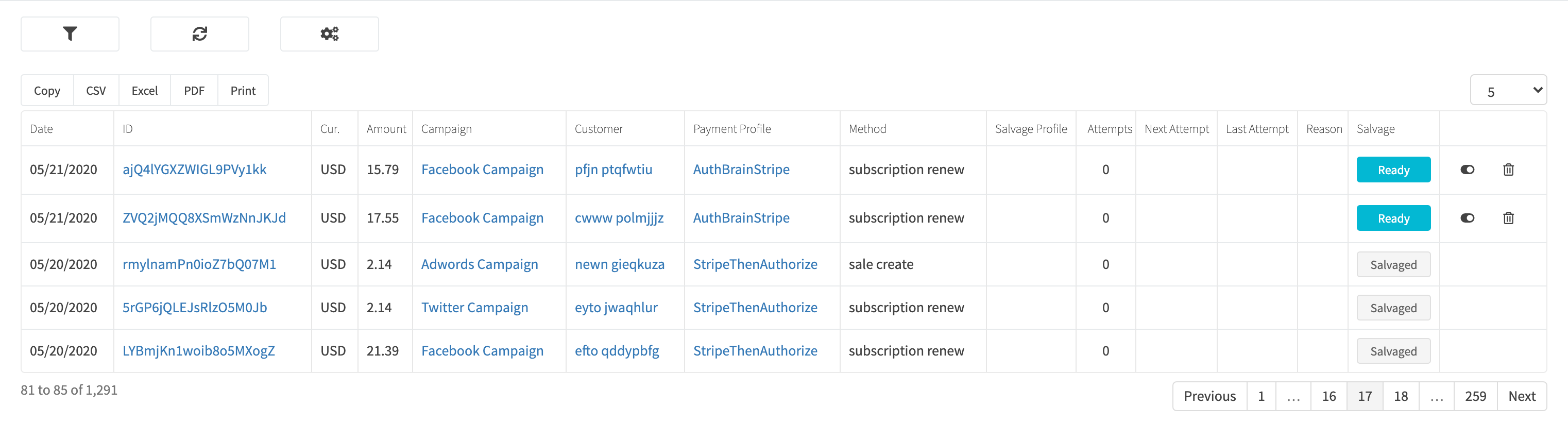
View all salvage transactions by clicking Payments > Credit Card > Salvage in the sidebar or go to https://revcent.com/user/salvage-transactions
Process A Salvage Transaction
There are two ways to process a salvage transaction, manually or automatically using a Salvage Transaction Profile.
Process Manually
You can process a salvage transaction by clicking the Ready button when viewing all salvage transactions or click the Process Salvage button when view the details of a salvage transaction.
Process Automatically
Use an AI Assistant to process salvage transactions.