Gateway Group
Overview and details on the credit card gateway group within RevCent.
Overview
You can group multiple gateways into a gateway group. This is useful when you have numerous gateways and wish to utilize them within payment profiles. Also enables you to use the same gateway multiple times within a payment profile cascade.
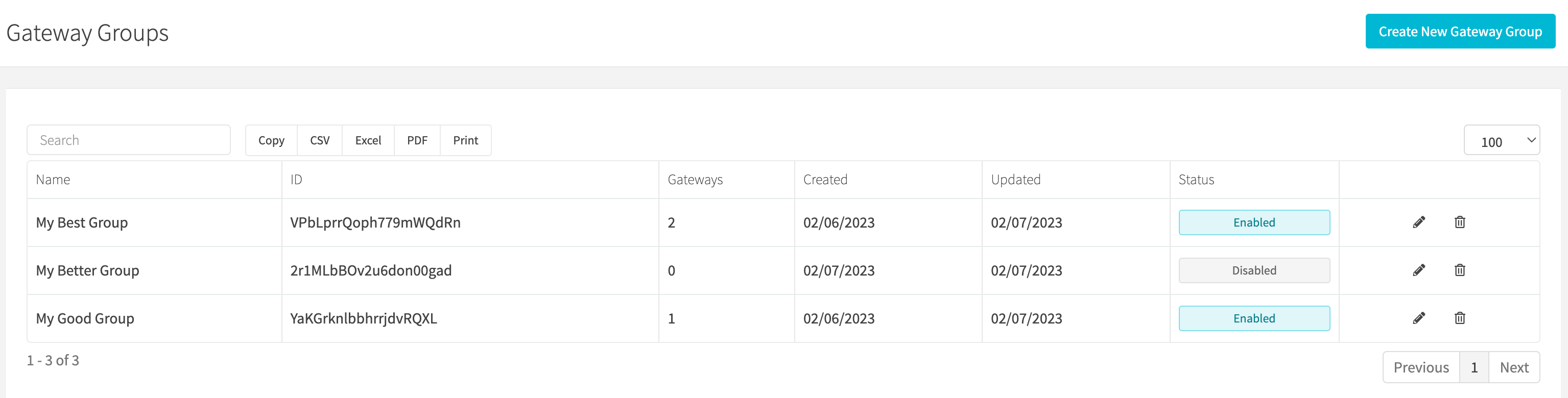
View Gateway Groups
View all gateway groups by clicking the Payments > Credit Card > Gateway Groups link on the sidebar or going to https://revcent.com/user/gateway-groups
Create A Gateway Group
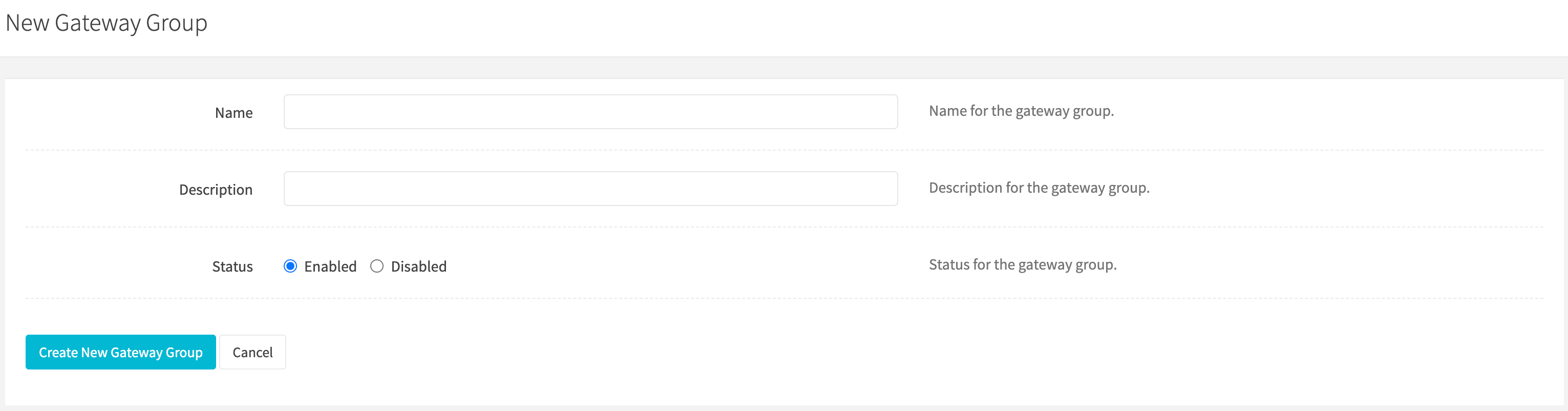
Create a new gateway group by clicking New group when viewing all gateway groups or go to https://revcent.com/user/new-gateway-group.
Name
Enter a name for the gateway group. Required and must be unique.
Description
Enter a description for the gateway group.
Status
Set the status of the gateway group.
Edit A Gateway Group
Edit an existing gateway group by clicking the edit button when viewing all gateway groups.
Name
Enter a name for the gateway group. Required and must be unique.
Description
Enter a description for the gateway group.
Status
Set the status of the gateway group.
Choice Method
The group editor controls membership and ordering. Configure how gateways are chosen in the Choose gateway node of a payment profile. The group editor does not have a Choice Method dropdown.
Options:
- Sort Order: Process valid gateways in the sort order within the group, beginning with gateway 1 in the group list. I.e. if gateway 1 is valid, then it will be used, else gateway 2 if valid, and so on.
- Round Robin: Process gateways in the sort order within the group list, beginning with the next gateway after the last transaction gateway used in the group list order. I.e. if gateway 1 was last used, then gateway 2 will be used if valid. If gateway 3 is last used, and is the last gateway in the rotation, then the rotation resets and gateway 1 will be used if valid.
- Evenly Distribute: Process valid gateways by even distribution of total captured payment volume within the past 24 hours. Sort order in the group list is ignored. Instead, least captured payment volume is what determines which gateway will be used. I.e. If gateway X has total captured payment volume of $210, gateway Y has total captured payment volume of $200 and gateway Z has total captured payment volume of $230, then gateway Y will be used as it has the least total captured payment volume.
Grouping Method
Use Gateway membership to search the available gateways on the left. Click the plus button to add a gateway to the selected list on the right. Use the up and down buttons to change its order, or the remove button to remove it from the group. Save the group after making your changes.