RevCent API
Overview and details on creating and modifying a RevCent API Account.
API Account
Create multiple API accounts for your RevCent account, including individual permissions for each.
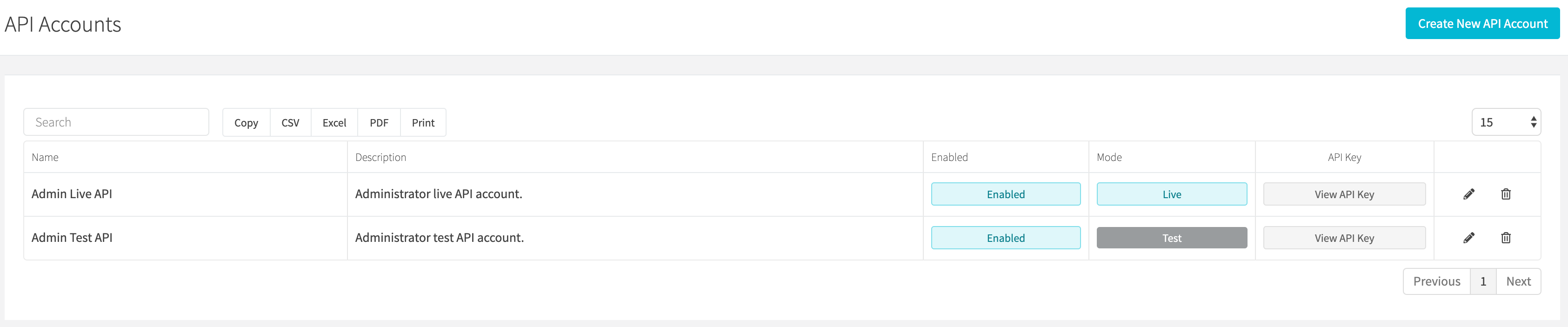
Note: RevCent automatically creates two API accounts when you sign up, a Live Admin Account and a Test Admin Account.
API Documentation
View detailed documentation on our API at the RevCent API Documentation page.
View API Accounts
View all API accounts by clicking Integrations > RevCent API > Accounts in the sidebar or go to https://revcent.com/user/api-accounts.
View API Key
You can view the API key of an existing account by clicking View key in the table.
Generate New API Key
Open View key for the existing account to access its key-management dialog. Generating a replacement key requires updating integrations that use the previous key.
Create or Edit An API Account
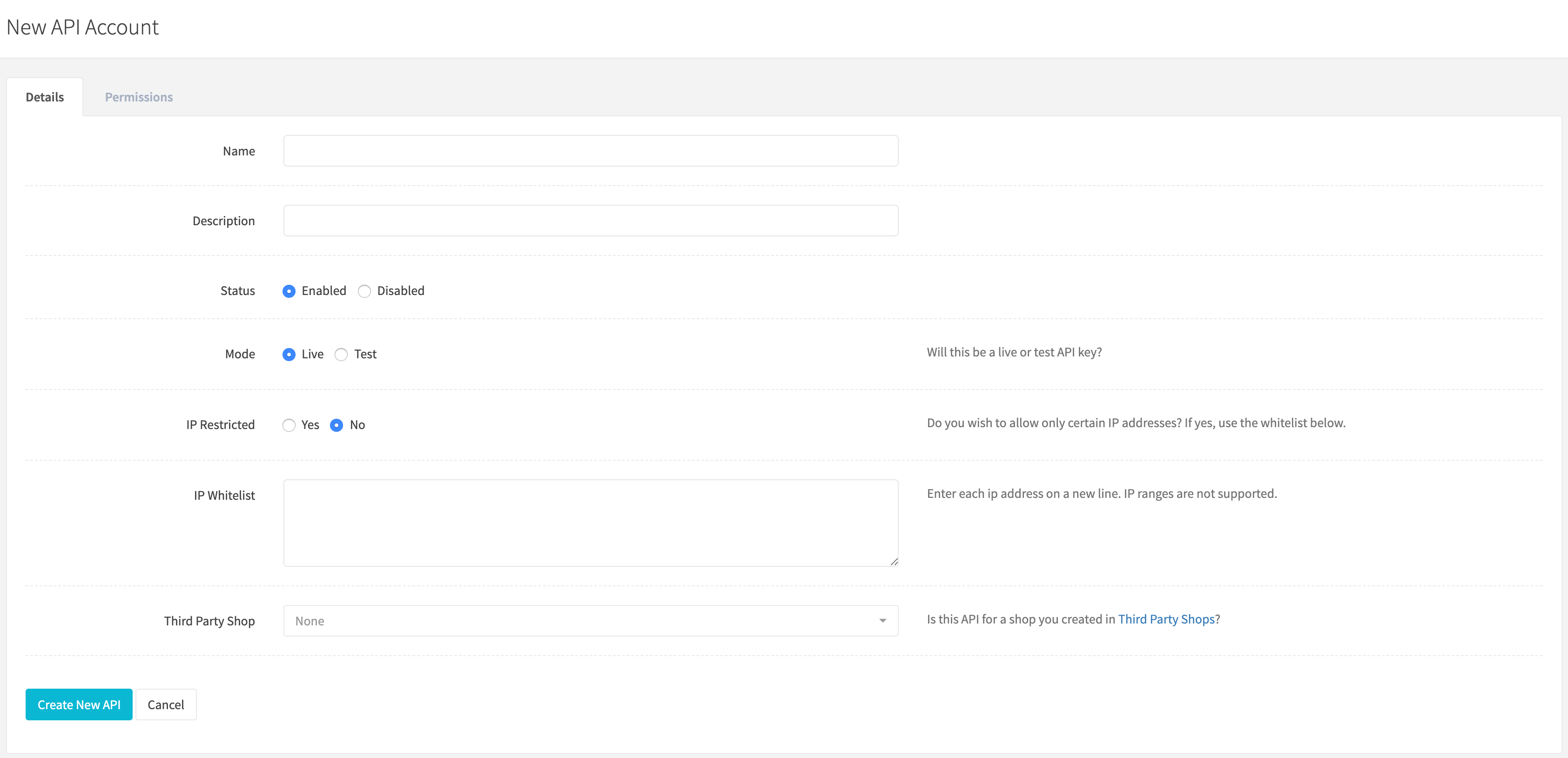
Create a new API account by clicking New account when viewing all API accounts or go to https://revcent.com/user/new-api.
Edit an existing API account by clicking the edit button when viewing all API accounts.
API Account Details
Name
Enter a name for the API account. Required.
Description
Enter a description for the API account.
Status
Set the status of the API account.
Mode
Important: Set the mode of the API account.
Options:
- Live: Will send transactions to your gateway’s live endpoint and retrieve only live entities created in RevCent. Use live mode when you are ready to send real transactions to the RevCent API.
- Test: Will send transactions to your gateway’s test/sandbox endpoint and retrieve only test entities created in RevCent. Use test mode when testing your integration with the RevCent API.
IP Restricted
Set whether you wish to enable IP restrictions.
IP Whitelist
If IP restrictions are enabled you must enter the address of one or more IP’s that you wish to only allow access to. IP ranges are not supported. Enter multiple IP addresses on a new line.
Third Party Shop
Assign the API to a corresponding Third Party Shop. For advanced users.
API Account Permissions
Specific permissions can be assigned to an API account. These permissions include visibility, creation and modification privileges.
API Call
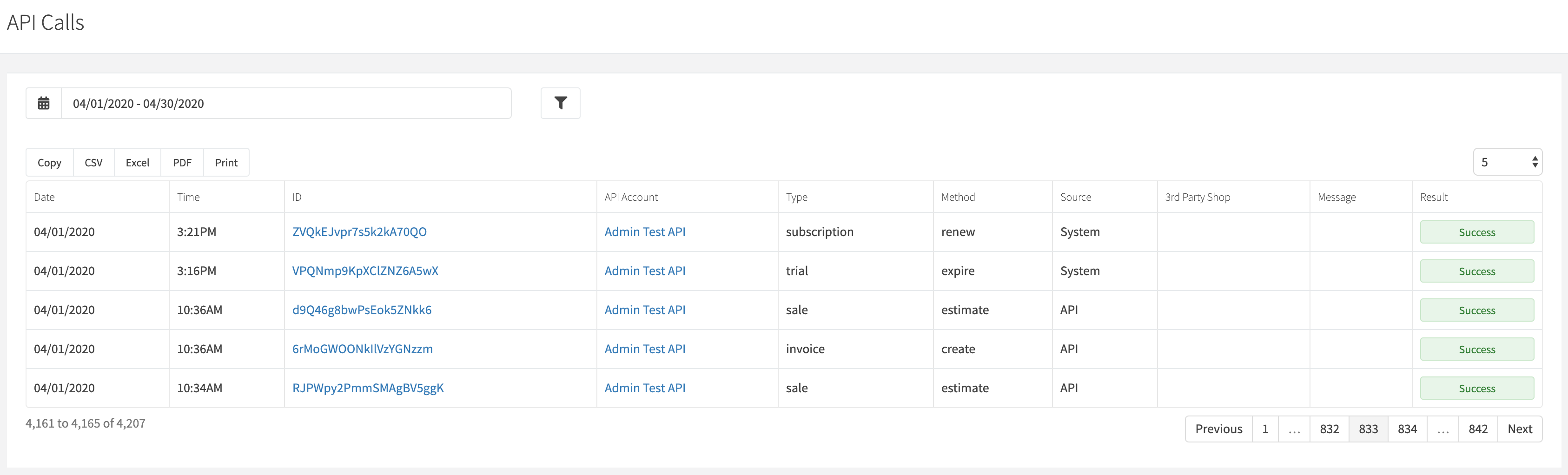
Every call to the RevCent API is saved as an API Call. You can view the details of any API call you make.
View API Calls
View all API Calls by clicking the Integrations > RevCent API > API Calls link on the sidebar or go to https://revcent.com/user/api-calls
API Call Details
Click the ID link for an individual API call to view details on the call. You will be directed to a new page which will displays details on the specific call including the request, response and any payment processor responses.