Coupons
Overview and details on coupons within RevCent.
Coupon
Coupons can be created in RevCent and applied via API. Coupons can also be attached to subscriptions and trials, including those originating from a third party shop. Coupons require a Coupon Profile, which attaches rules and restrictions for each coupon. Create as many coupons as you want, with different coupon codes.
View Coupons
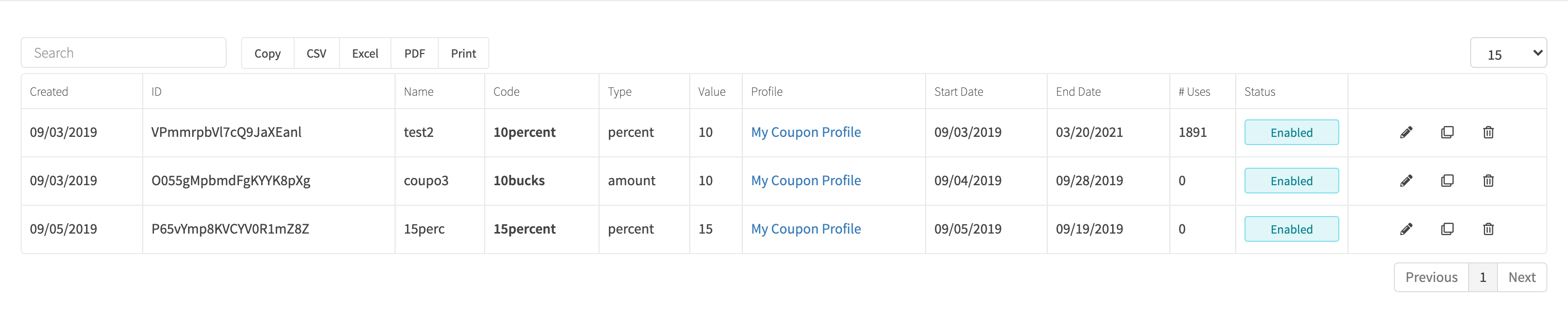
View all coupons by clicking Payments > Coupons > All Coupons in the sidebar or go to https://revcent.com/user/coupons
Create Or Edit A Coupon
Manually create a new coupon by clicking the New coupon button when viewing all coupons or go to https://revcent.com/user/new-coupon
Edit an existing coupon by clicking the edit button when viewing all coupons.
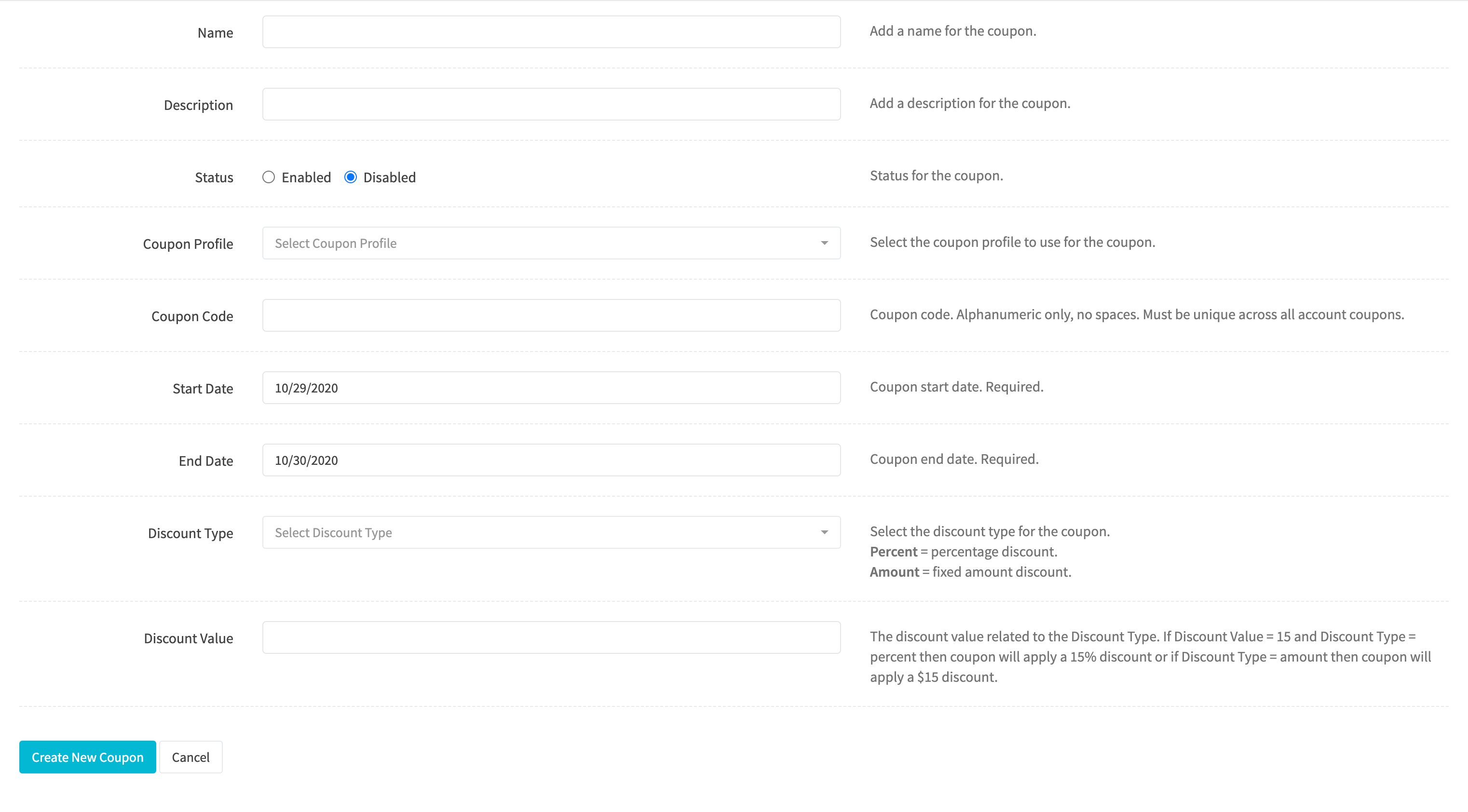
Name
Enter a name for the coupon. Required.
Description
Enter a description for the coupon.
Status
Set the status of the coupon.
Coupon Profile
Select the Coupon Profile to use for the coupon. Required.
Coupon Code
Coupon code. Alphanumeric only, no spaces. Required.
Important: The coupon code must be unique across all past and present coupons in your account.
Start Date
Coupon start date. Required.
End Date
Coupon end date. Required.
Discount Type
Select the discount type for the coupon.
Options:
- Percent: Percentage discount based on total customer purchase amount.
- Amount: Fixed dollar amount regardless of total customer purchase amount.
Discount Value
The discount value related to the Discount Type.
Examples:
- If Discount Type = Percent and Discount Value = 15 then coupon will apply a 15% discount
- If Discount Type = Amount and Discount Value = 15 then coupon will apply a $15 discount.
Coupon Profile
The coupon profile dictates various aspects of coupons created using the profile. Coupon profiles allow flexibility and rules to promote sales and increase revenue. The coupon profile is the most important part of the coupon system within RevCent.
View Coupon Profiles
View all coupons by clicking Payments > Coupons > Profiles in the sidebar or go to https://revcent.com/user/coupon-profiles

Create A Coupon Profile
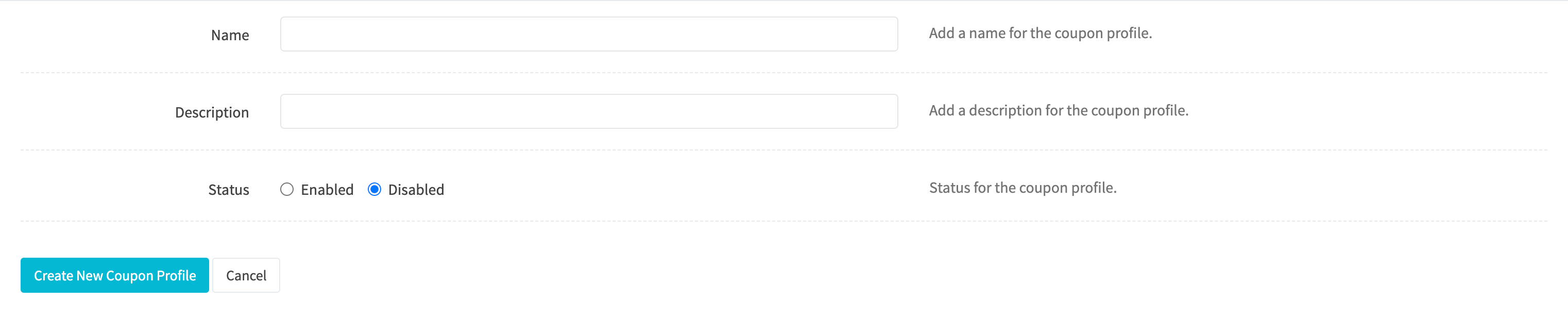
Create a new coupon profile by clicking the New profile button when viewing all coupon profiles, or go to https://revcent.com/user/new-coupon-profile
Name
Set a name for the coupon profile.
Description
Set a description for the coupon profile.
Status
Set the status for the coupon profile.
Once the coupon profile is created you will be forwarded to the Edit Coupon Profile page for the new coupon profile.
Edit A Coupon Profile
Edit an existing coupon profile by clicking the edit icon when viewing all coupon profiles.
Details
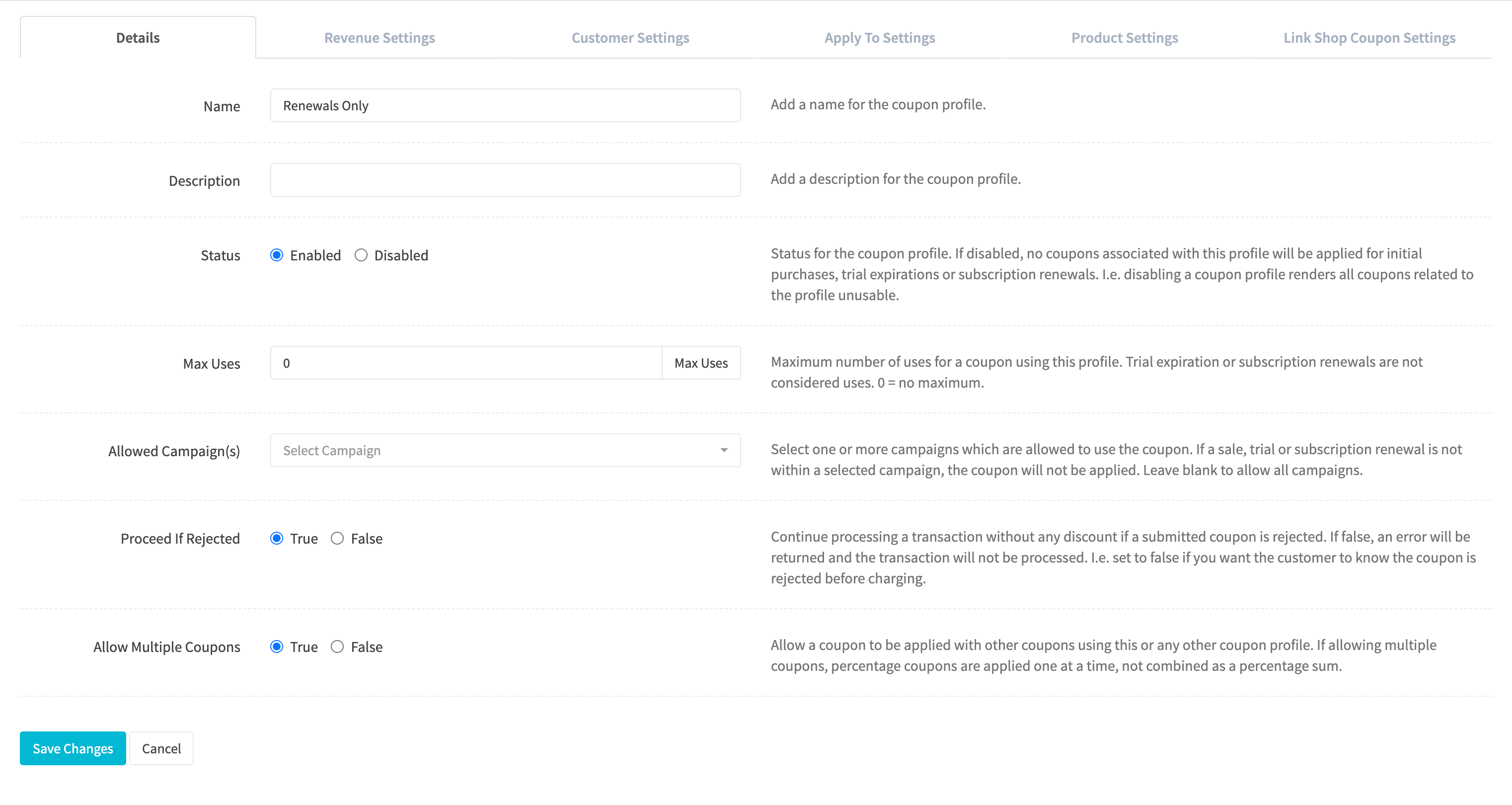
Name
Set a name for the coupon profile.
Description
Set a description for the coupon profile.
Status
Set the status for the coupon profile.
Max Uses
Maximum number of uses for a coupon using the profile. Trial expiration or subscription renewals are not considered uses. 0 = no maximum.
Allowed Campaign(s)
Select one or more campaigns which are allowed to use the coupon. If a sale, trial or subscription renewal is not within a selected campaign, the coupon will not be applied. Leave blank to allow all campaigns.
Proceed If Rejected
Continue processing a transaction without any discount if a submitted coupon is rejected. If false, an error will be returned and the transaction will not be processed. I.e. set to false if you want the customer to know the coupon is rejected before charging.
Allow Multiple Coupons
Allow a coupon to be applied with other coupons using this or any other coupon profile. If allowing multiple coupons, percentage coupons are applied one at a time, not combined as a percentage sum.
Revenue Settings
Open Revenue & shops to set these limits.
Set rules based on the customer purchase and discount amounts.
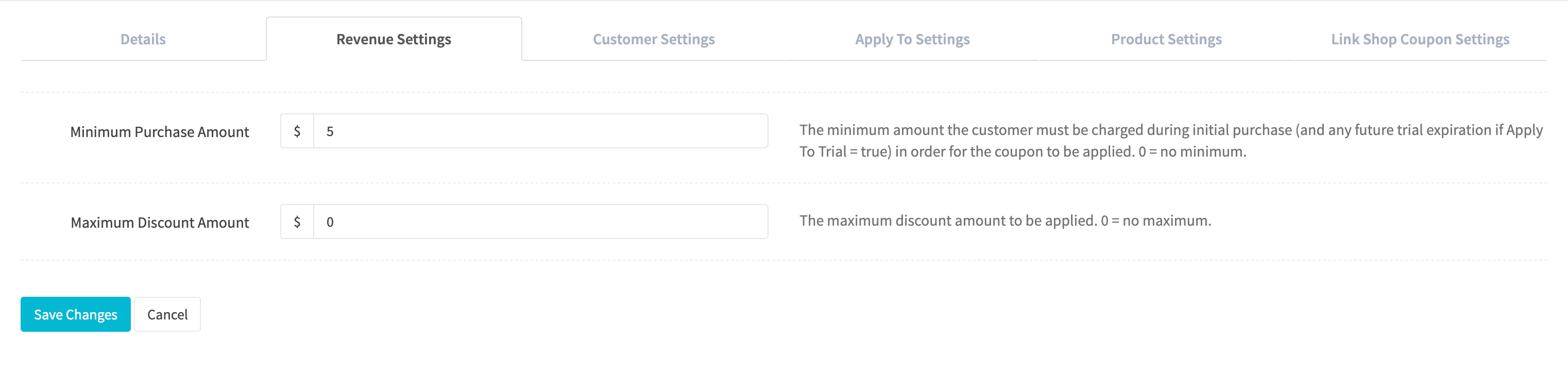
Minimum Purchase Amount
The minimum amount the customer must be charged during initial purchase (and any future trial expiration if Apply To Trial = true) in order for the coupon to be applied. 0 = no minimum
Maximum Discount Amount
The maximum discount amount to be applied. 0 = no maximum.
Apply To Settings
Open Application to choose which charges receive the discount.
Set rules and restrictions as to the application of coupons and discount amounts for a customer purchase.
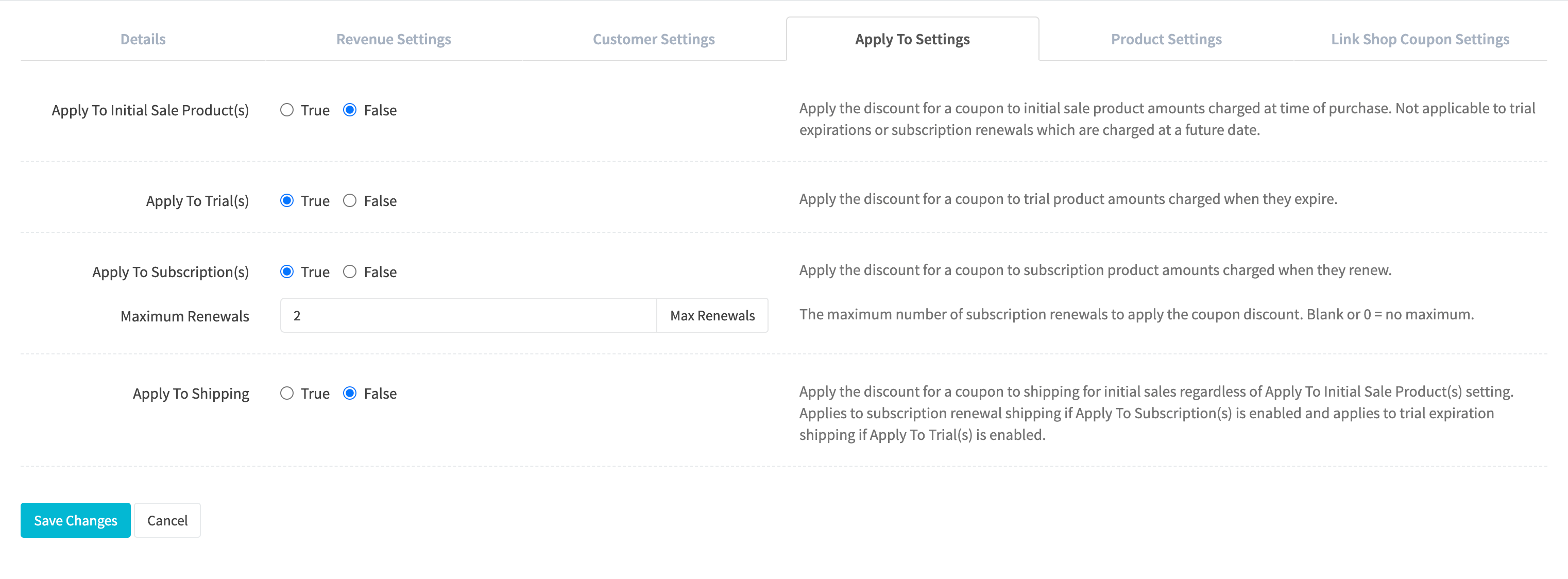
Apply to Initial Sale Product(s)
Apply the discount for a coupon to initial sale product amounts charged at time of purchase. Not applicable to trial expirations or subscription renewals which are charged at a future date.
Apply To Trial(s)
Apply the discount for a coupon to trial product amounts charged when they expire.
Apply To Subscription(s)
Apply the discount for a coupon to subscription product amounts charged when they renew.
Maximum Renewals
The maximum number of subscription renewals to apply the coupon discount if a coupon is applied to a subscription. Blank or 0 = no maximum.
Apply To Shipping
Apply the discount for a coupon to shipping for initial sales regardless of Apply To Initial Sale Product(s) setting. Applies to subscription renewal shipping if Apply To Subscription(s) is enabled and applies to trial expiration shipping if Apply To Trial(s) is enabled.
Customer Settings
Open Customers to control repeat use and future-sale discounts.
Apply rules and restrictions on an individual customer who uses a coupon associated with the coupon profile.
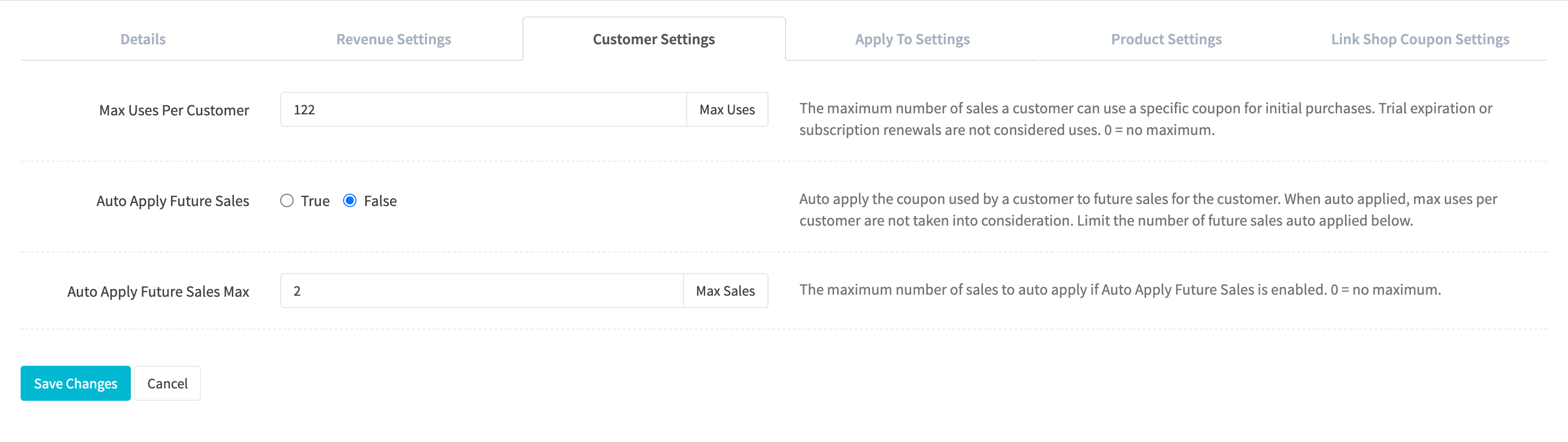
Max Uses Per Customer
The maximum number of sales a customer can use a specific coupon for initial purchases. Trial expiration or subscription renewals are not considered uses. 0 = no maximum.
Auto Apply Future Sales
Auto apply the coupon used by a customer to future sales for the customer. When auto applied, max uses per customer are not taken into consideration. Limit the number of future sales auto applied below.
Auto Apply Future Sales Max
The maximum number of sales to auto apply if Auto Apply Future Sales is enabled. 0 = no maximum.
Product Settings
Open Products to configure eligible and required product groups.
Apply rules and restrictions as to products being purchased by the customer and coupons being used.
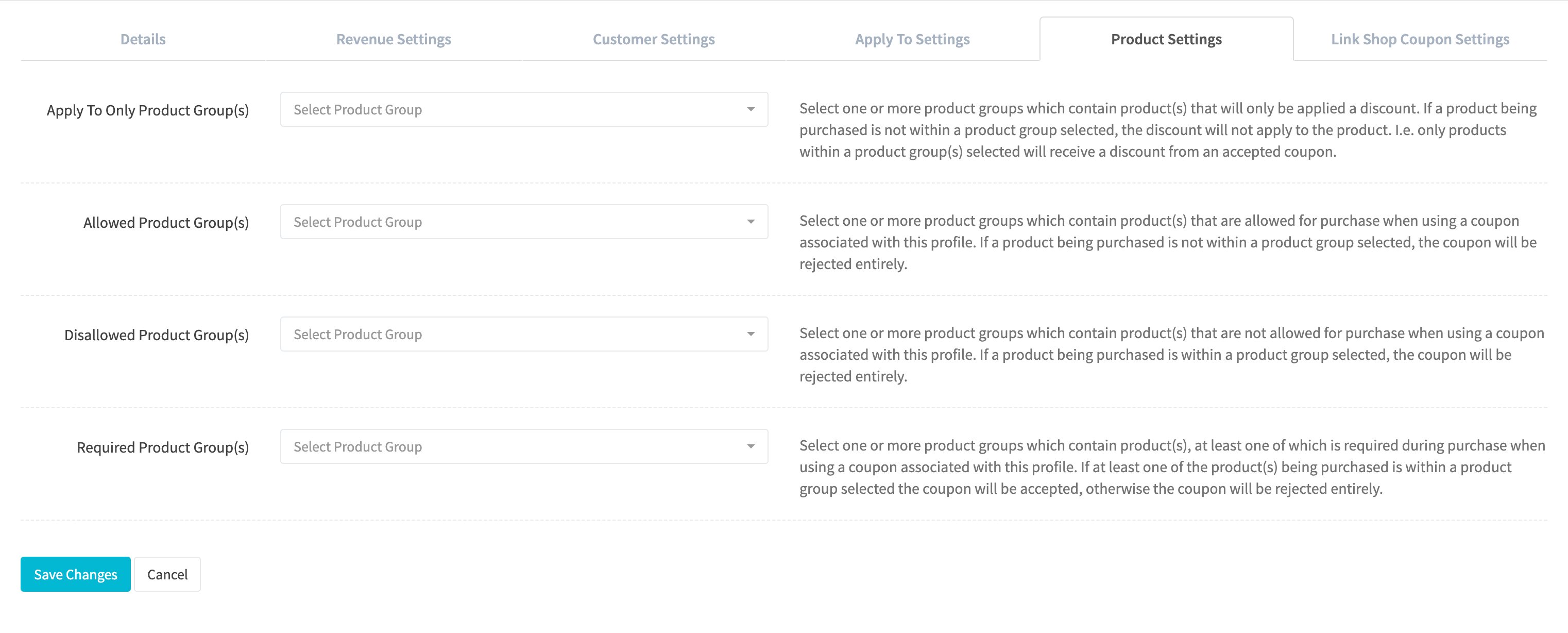
Apply To Only Product Group(s)
Select one or more product groups which contain product(s) that will only be applied a discount. If a product being purchased is not within a product group selected, the discount will not apply to the product. I.e. only products within a product group(s) selected will receive a discount from an accepted coupon.
Allowed Product Group(s)
Select one or more product groups which contain product(s) that are allowed for purchase when using a coupon associated with this profile. If a product being purchased is not within a product group selected, the coupon will be rejected entirely.
Disallowed Product Group(s)
Select one or more product groups which contain product(s) that are not allowed for purchase when using a coupon associated with this profile. If a product being purchased is within a product group selected, the coupon will be rejected entirely.
Required Product Group(s)
Select one or more product groups which contain product(s), at least one of which is required during purchase when using a coupon associated with this profile. If at least one of the product(s) being purchased is within a product group selected the coupon will be accepted, otherwise the coupon will be rejected entirely.
Link Shop Coupon Settings
Open Revenue & shops and use Shop link codes. Click Save changes after editing the profile.
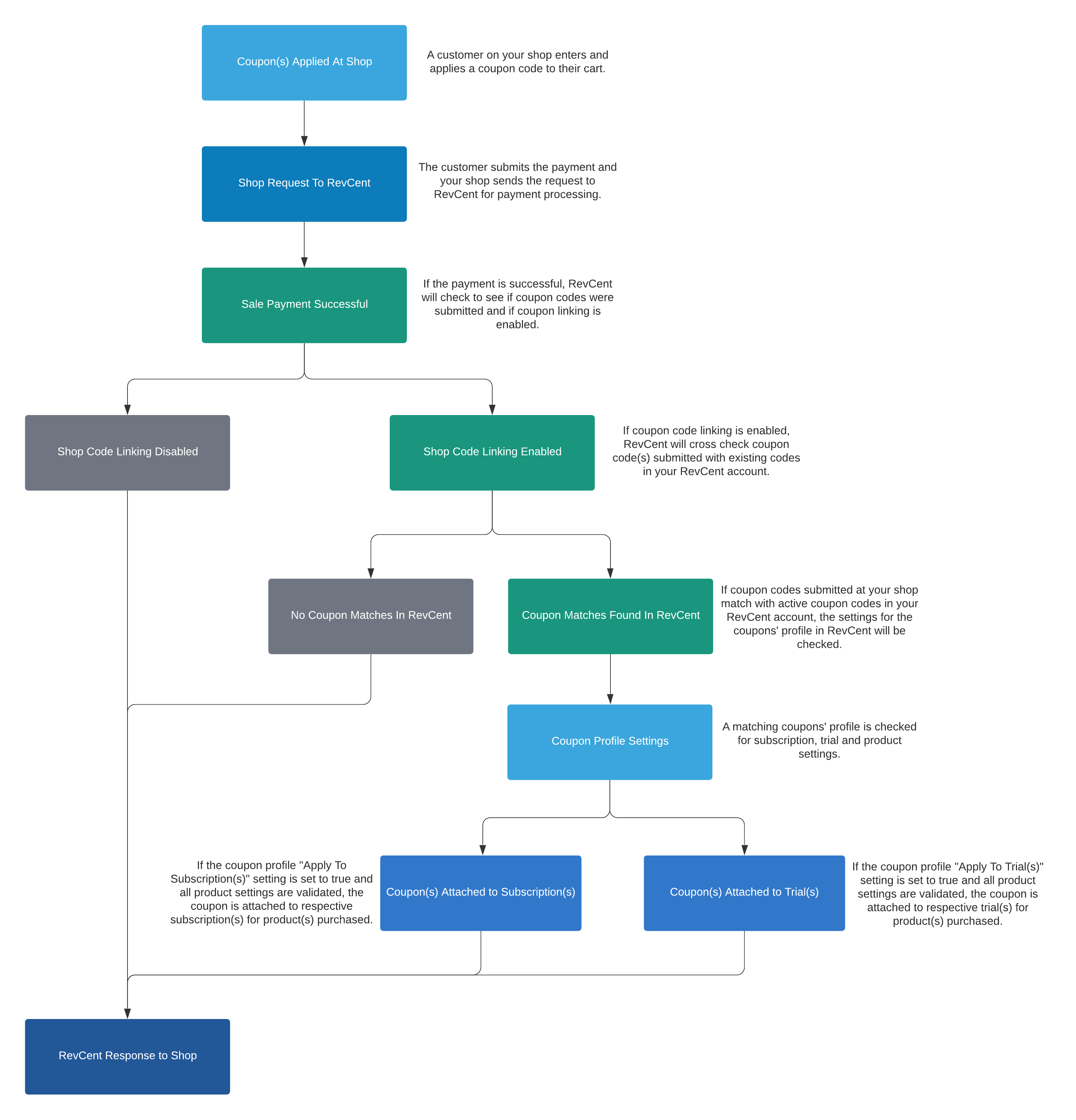
Link codes submitted from third party shops with coupons created in RevCent using this coupon profile, where both shop and RevCent coupon codes match.
Note: Linking coupons will not re-apply any discounts to an initial sale on your third party shop. The payment amount of the initial sale from your shop is never modified by RevCent. Instead, linking shop coupons is for applying coupons originating from a third party shop, via coupon code entered by a customer on your shop, to a RevCent subscription or trial created as a result of a shops’ successful sale.
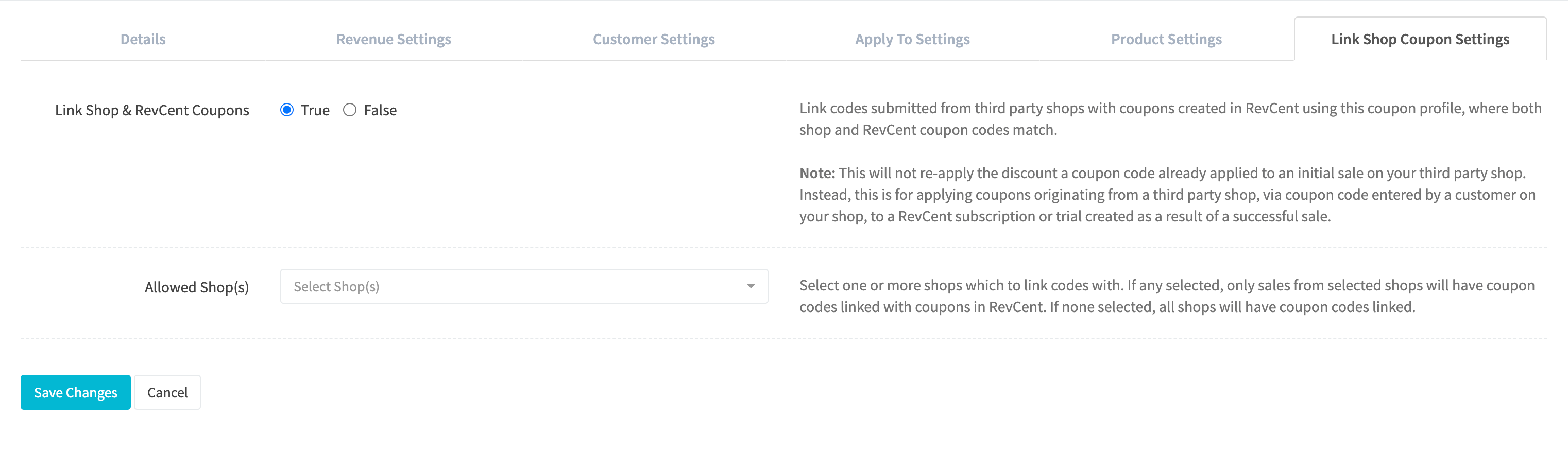
Link Shop & RevCent Coupons
Select whether to link shop and RevCent coupons.
Allowed Shop(s)
If linking is enabled you can filter the shops allowed. Select one or more shops which to link codes with. If any selected, only sales from selected shops will have coupon codes linked with coupons in RevCent. If none selected, all shops will have coupon codes linked.
How RevCent Links Coupons
The diagram below shows how Revcent processes shop requests and links coupons.