Corporations
Overview and details on corporations within RevCent.
Corporation
The corporation in RevCent allows you to organize and prevent cross corporation gateway processing. Additional capabilities with corporations will be introduced in the future.
Why Use A Corporation?
- Organize your gateways by corporation.
- Prevent cross corporation transactions.
View Corporations
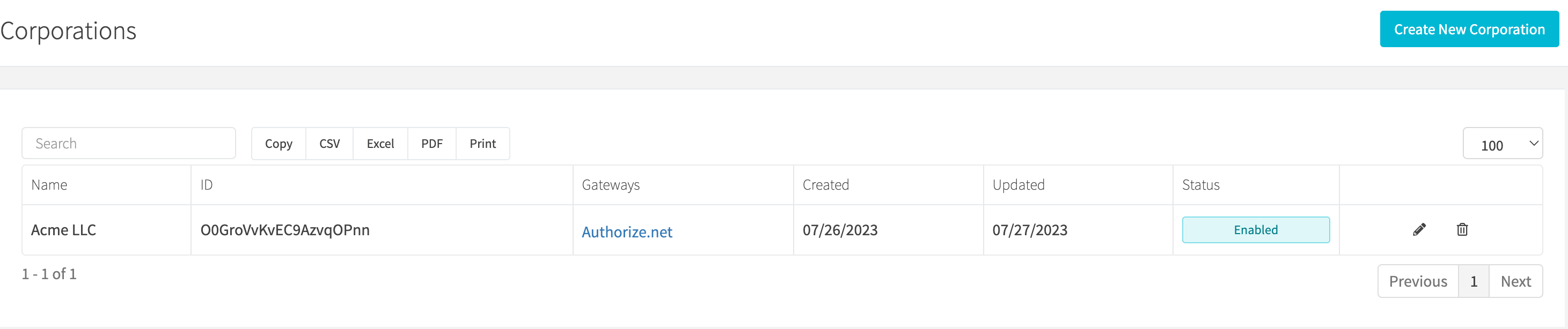
View all corporations by clicking the Corporations > All Corporations link on the sidebar or going to https://revcent.com/user/corporations
Create A Corporation
Create a new corporation by clicking New corporation when viewing all corporations or go to https://revcent.com/user/new-corporation.
Name
Enter a name for the corporation. Required and must be unique.
Description
Enter a description for the corporation.
Edit A Corporation
Edit an existing corporation by clicking the edit button when viewing all corporations.
Details
Name
Enter a name for the corporation. Required and must be unique.
Description
Enter a description for the corporation.
Status
Set the status of the corporation.
Gateways
Open the Gateways tab. Search the available gateways and use a gateway’s add control to move it into Gateways in corporation. Use its remove control to take it out of the corporation, then click Save Changes.
Gateway Corp. Lock
Lock a customer to this corporations’ gateway(s) once a customer has interacted with any gateway in this corporation. Once a customer is locked to a specific corporation, it can only use gateway(s) within the same corporation. Note: A forced gateway applied to a subscription and/or trial will override this setting.