PayPal Account
Overview and details on PayPal integration with RevCent.
Overview
Creating a PayPal account within RevCent lets you track sales purchased using PayPal and monitor new or existing disputes.
Since most PayPal payments are made on PayPal.com, RevCent does not send the payment request directly to PayPal, instead RevCent connects to the PayPal API and retrieves details on PayPal payments for RevCent initial sales.
PayPal API Credentials
If you do not have your PayPal API credentials or need to create them please view the Get PayPal API Credentials guide.
PayPal Account
View All PayPal Accounts
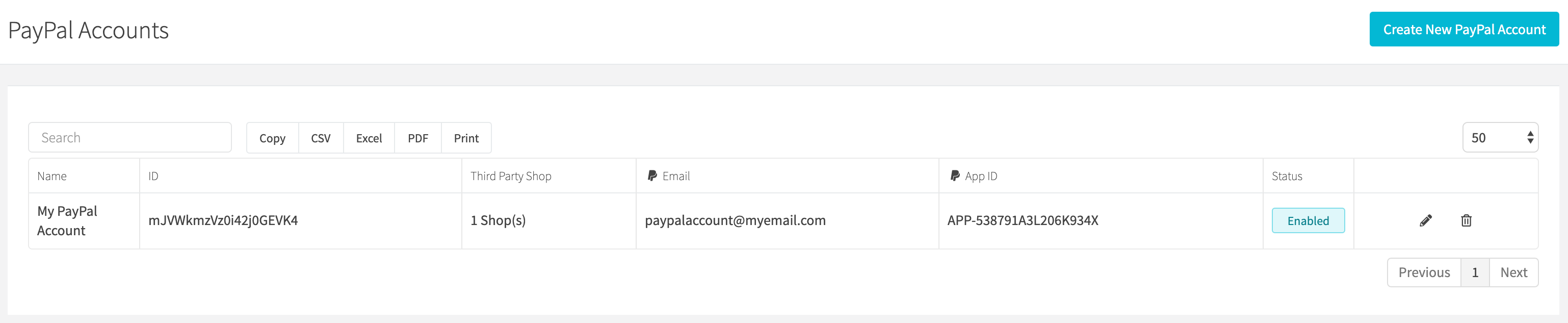
View all PayPal accounts by clicking the Payments > PayPal > Accounts link on the sidebar or go to https://revcent.com/user/paypal-accounts
Create A PayPal Account
Click New account when viewing PayPal accounts or go to New PayPal account.
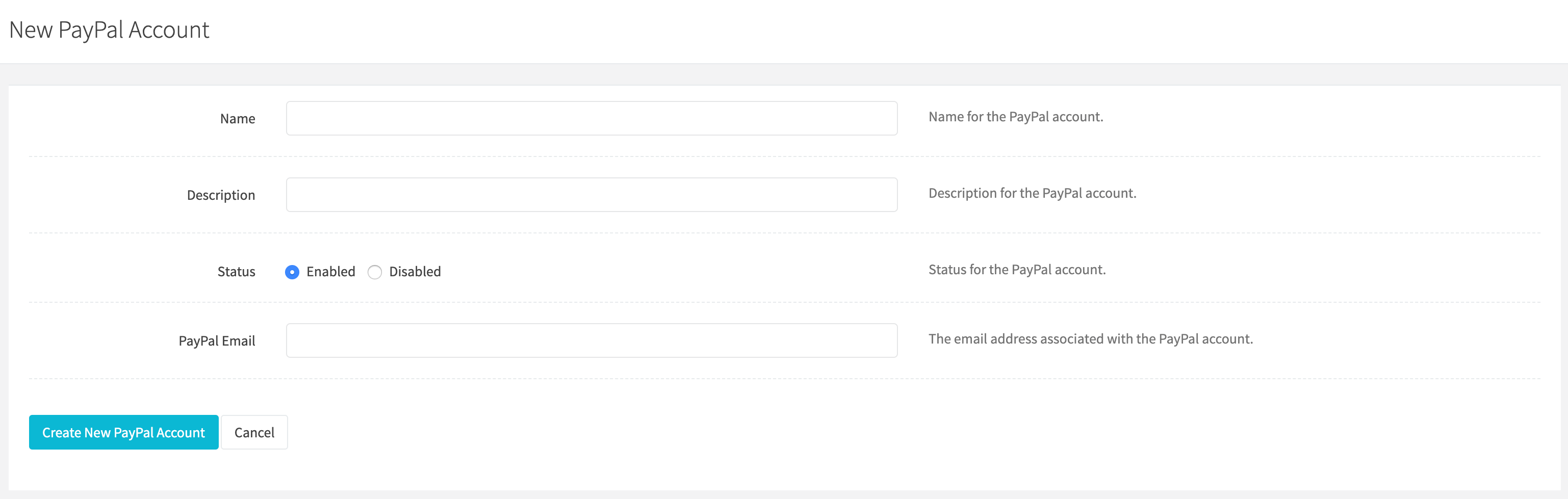
Name
Enter a name for the PayPal account. Required and must be unique.
Description
Enter a description for the PayPal account.
Status
Set the status of the PayPal account.
PayPal Email
Enter the email address associated with the PayPal account.
- Select the required Campaign and any associated Third-party shops.
- Complete the PayPal API credentials section below the account details.
- Click Create account.
Edit A PayPal Account
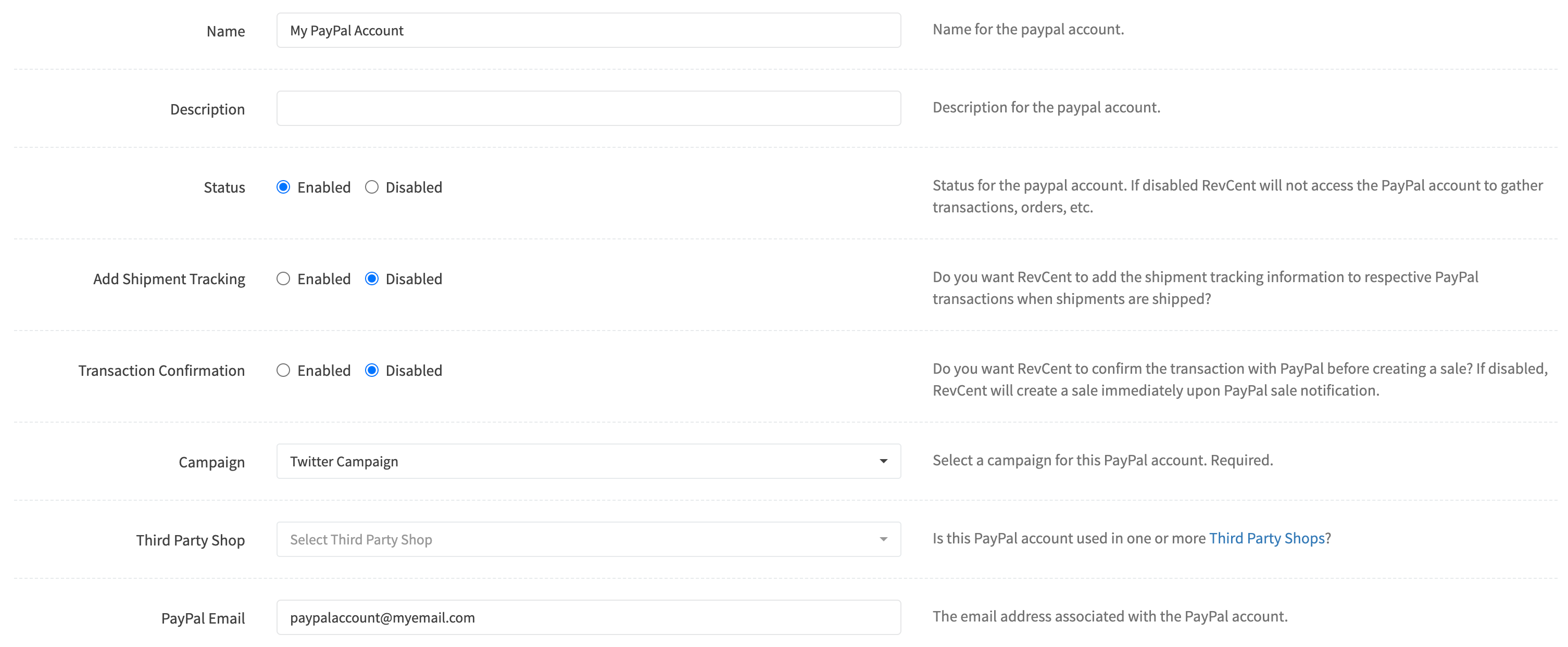
Edit an existing PayPal account by clicking the edit button when viewing all PayPal accounts.
Name
Enter a name for the PayPal account. Required and must be unique.
Description
Enter a description for the PayPal account.
Status
Set the status of the PayPal account.
Add Shipment Tracking
If you want RevCent to add the shipment tracking information to respective PayPal transactions when shipments are shipped.
Campaign
Select a campaign to associate with the PayPal account. Required.
Third Party Shop
Select a third party shop to associate with the PayPal account.
PayPal Email
Enter the email address associated with the PayPal account.
If you have not entered your PayPal credentials, or wish to modify existing credentials, continue below to Add or Modify PayPal Credentials. Otherwise, click the Save Changes button at the bottom of the edit PayPal Account page.
Add or Modify PayPal Credentials
If you need to add or modify your PayPal API credentials, enter them in the PayPal API box when editing a RevCent PayPal Account.
If you do not have PayPal Live API credentials from PayPal.com, please view the Get PayPal API Credentials guide before continuing.
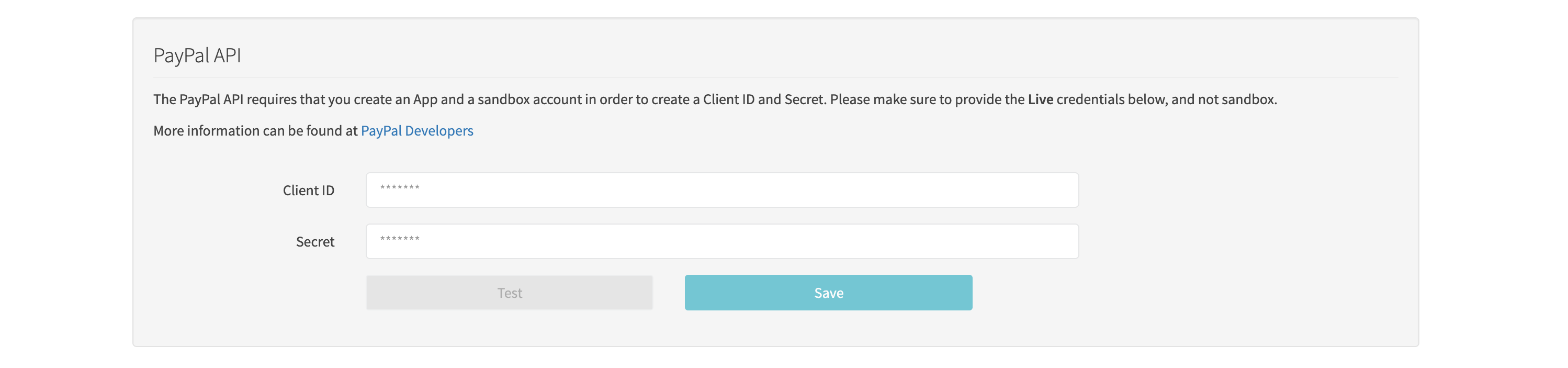
Client ID
Enter the Client ID from your PayPal Live API credentials.
Secret
Enter the Secret from your PayPal Live API credentials.
Click Save changes at the bottom of the edit form to submit the account settings and credentials. The secret is sent for validation and is not displayed again.