SMTP Profile
Overview and details on the SMTP profile within RevCent.
Link your existing SMTP server with RevCent. Send emails to customers, employees and more.
View All SMTP Profiles
View all SMTP profiles by clicking the Integrations > SMTP > SMTP Profiles link on the sidebar or going to https://revcent.com/user/smtp-profiles
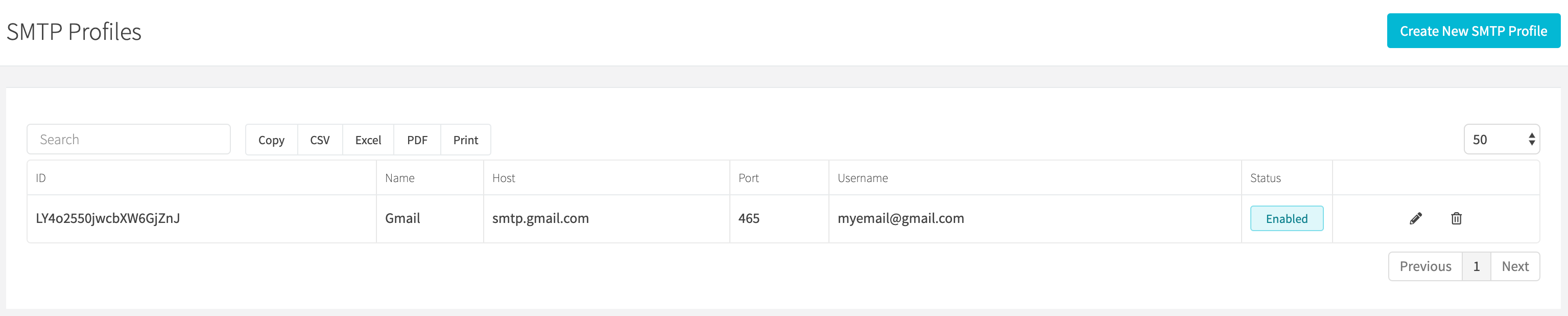
Create A SMTP Profile
Create a new SMTP profile by clicking New profile when viewing all profiles or go to https://revcent.com/user/new-smtp-profile.
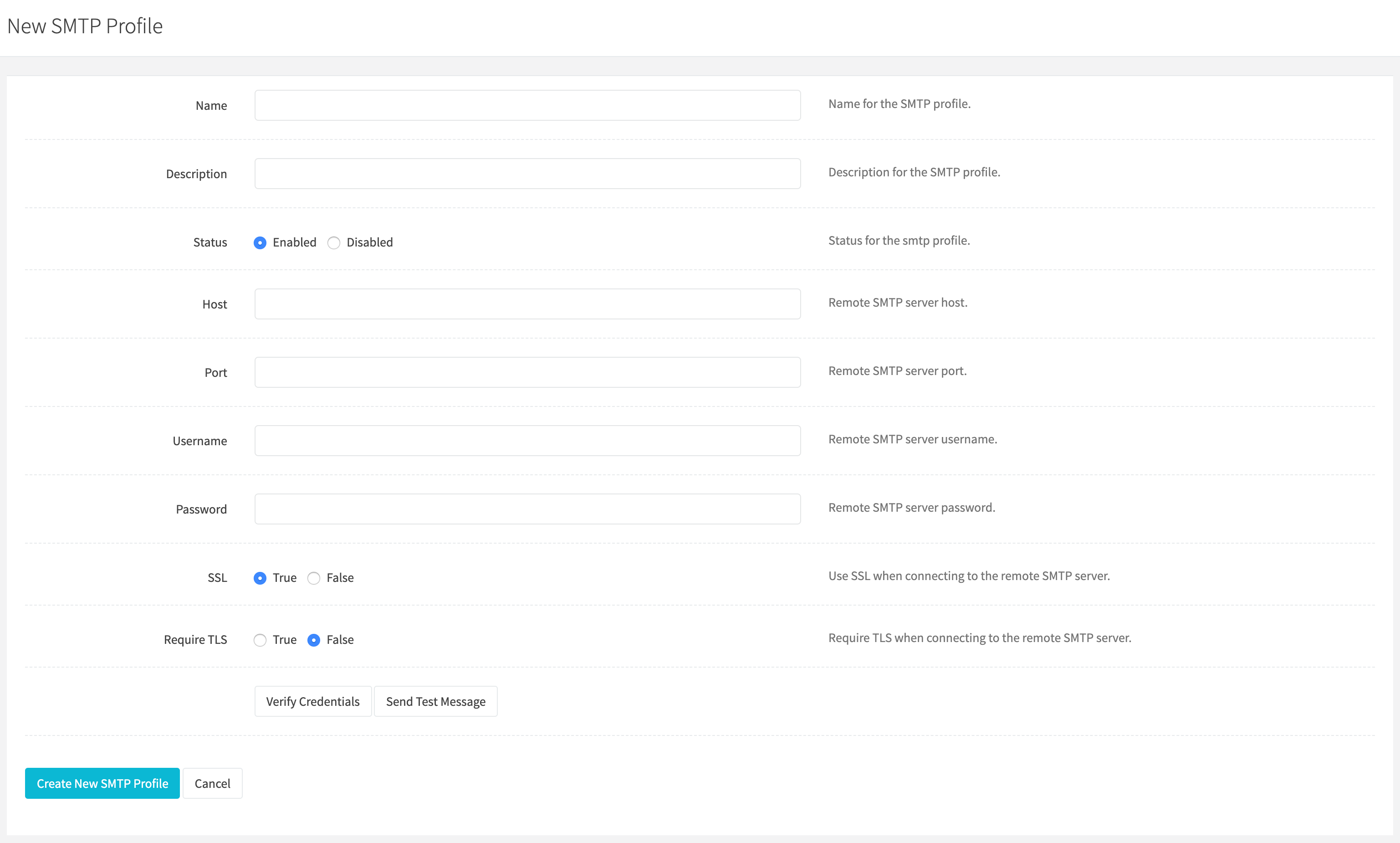
Name
Enter a name for the SMTP profile.
Description
Enter a description for the SMTP profile.
Status
Set the status of the SMTP profile.
Host
Enter your SMTP server host.
Port
Enter your SMTP server port.
Username
Enter your SMTP username.
Password
Enter your SMTP password.
SSL
Set whether to use SSL when connecting to your SMTP server.
Require TLS
Set whether to TLS is required when connecting to your SMTP server.
- Click Verify credentials to have RevCent check the connection to your remote SMTP server.
- Click Create SMTP profile at the bottom of the page.
Edit A SMTP Profile
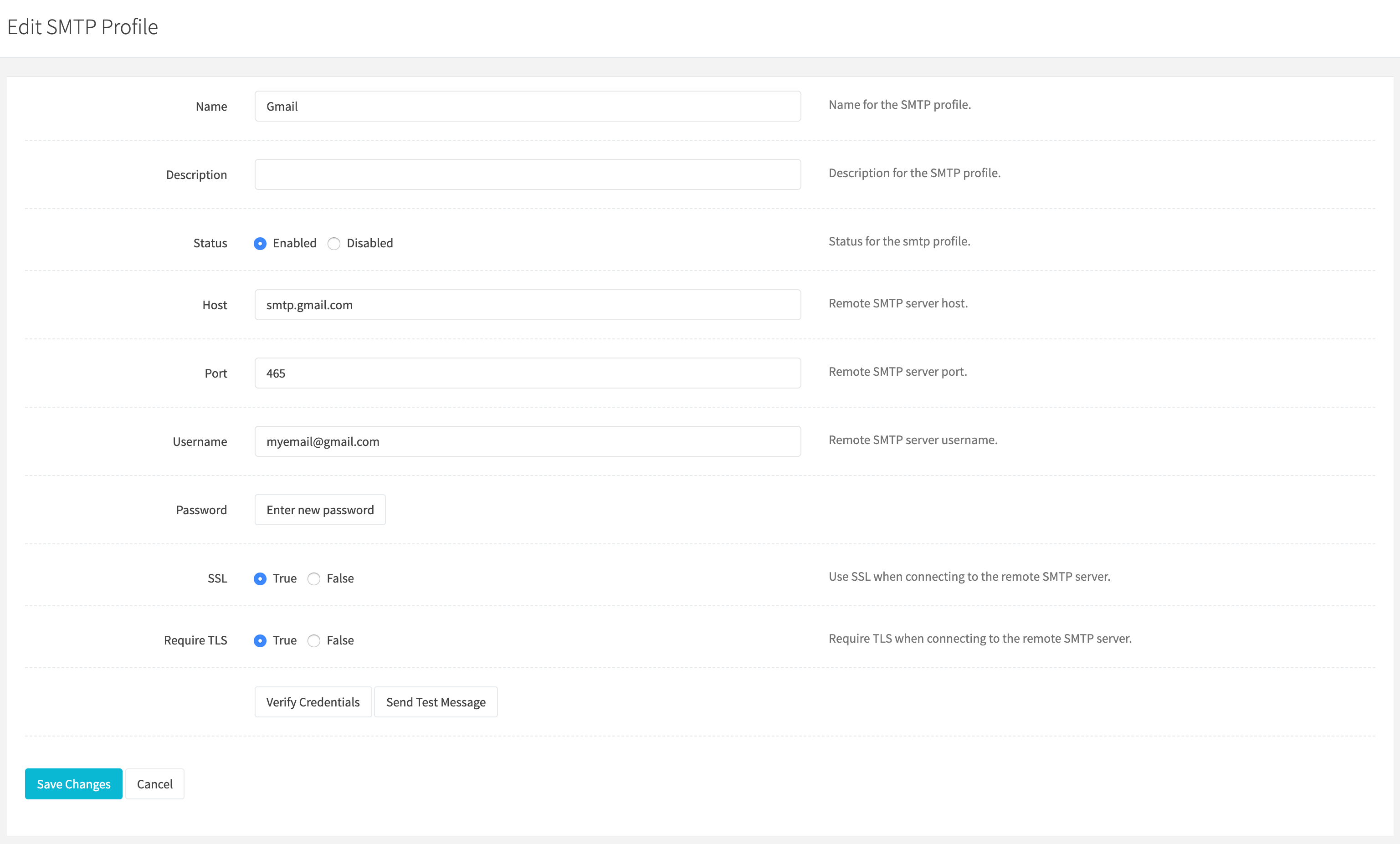
Edit an existing SMTP profiles by clicking the edit button when viewing all profiles.
Name
Enter a name for the SMTP profile.
Description
Enter a description for the SMTP profile.
Status
Set the status of the SMTP profile.
Host
Enter your SMTP server host.
Port
Enter your SMTP server port.
Username
Enter your SMTP username.
Password
Leave the Password field blank to keep the saved encrypted password. Enter a value only when replacing it.
SSL
Set whether to use SSL when connecting to your SMTP server.
Require TLS
Set whether to TLS is required when connecting to your SMTP server.
- Click Verify credentials to check the connection.
- Click Save changes at the bottom of the page.